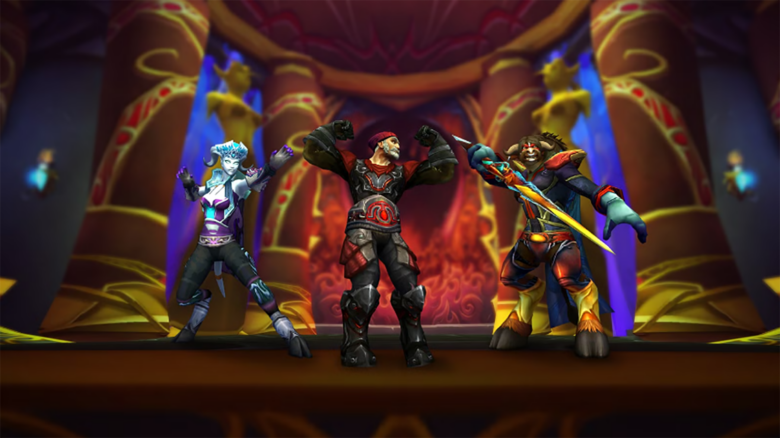
You now spend less gold when saving outfit appearances under the updated transmogrification system. Blizzard applied a hotfix that cuts the base cost of creating outfits by 50%, and the change is live across the game.
This adjustment follows the large transmog overhaul that arrived with the Midnight pre-expansion patch on January 20. The system shifted you away from paying per item and toward saving full outfits that automatically apply appearances as you equip gear.
That convenience came with a higher upfront price. You had to buy outfit slots with gold, and early costs felt steep, especially if you maintain multiple characters.
What changed with the hotfix
- Outfit creation costs dropped by half.
- The reduction applies immediately to all characters.
- You still pay a flat price per outfit, not per item.
The new pricing lowers the barrier for experimenting with looks. You can now lock in a full appearance without the same gold pressure, which matters if you frequently swap gear while leveling or raiding.
| Scenario | Before Hotfix | After Hotfix |
|---|---|---|
| Typical full outfit | ~1,600g | ~800–850g |
| Repeated swaps | High cumulative cost | More predictable spending |
You still need to plan around outfit slots. Buying additional slots remains a gold sink, so the system rewards you for curating a smaller set of looks rather than saving every variation.
The flat-cost model also affects different characters in different ways. Low-level characters may feel the cost more sharply, while endgame characters benefit from stable pricing that no longer scales with item level.
Practical tips
- Save outfits you reuse often, like raid or PvP sets.
- Delay niche looks until you know they will stick.
- Share appearances across characters where possible to reduce duplication.
Blizzard has also signaled additional relief ahead, including a planned free outfit transmog per character. That option has not replaced paid slots, but it gives you flexibility if you want to wait before committing more gold.
The hotfix doesn’t roll back the system’s structure, but it makes daily use more manageable. You get the same automated outfit benefits with a noticeably lower gold commitment.
World of Warcraft Outfit Transmog Costs Cut in Half
Recent changes to the outfit system lower the gold you spend when saving appearances. You now pay roughly 50% less to lock items into an outfit, which reduces routine costs as you refine your look.
A practical example shows the impact. An outfit that once required 2,776 gold now saves for 1,388 gold, with no extra steps needed. The update applies automatically and affects average save costs rather than item acquisition.
If you play a Void Elf, you gain another advantage. The Ethereal Connection racial ability stacks on top of the hotfix and trims an additional 50% from outfit setup costs, making Void Elves the cheapest option for frequent outfit changes.
What didn’t change
Item Status Outfit slot purchases No change Account-wide unlocks Already enabled Slot prices vs. beta Previously reduced
Outfit slots still cost gold, but they unlock across your account. Prices dropped substantially before full release, so this update focuses strictly on saving outfits, not expanding capacity.
How the Trial of Style Operates After the Update
The Trial of Style remains a twice-yearly event that centers on a fashion contest and cosmetic rewards. It typically runs in March and August, and players long treated it as a window of free transmogrification.
The next event begins March 20, which gives you time to test the updated system in a competitive setting. With World of Warcraft: Midnight launching on March 2, you get roughly two weeks to gather new appearances and prepare outfits for judging.
During the event, you can focus on creativity without worrying about repeated costs. Outside the event, the reduced save prices keep experimentation affordable while preserving normal gold sinks.
Why Ads May Not Appear for You
Ads support free access and help fund the work behind the site. When ads do not load, a tool on your device likely blocks them.
Common causes include browser extensions, VPN features, antivirus web protection, or built-in privacy settings. Any of these can prevent ad delivery even if you did not intend to block them.
Steps to Enable Ads on This Website
You can usually fix the issue in a few clicks. Try the options that match your setup:
- Browser extensions
- Open the extension menu.
- Choose an option like Pause on this site.
- Refresh the page.
- VPN or security apps
- Open the app settings.
- Disable ad blocking or tracking protection for this site.
- Refresh the page.
- Browser privacy tools
- Check web protection or ad filtering settings.
- Turn them off for this site only.
- Reload the page.
These steps allow respectful, non-intrusive ads while keeping your broader protections intact.