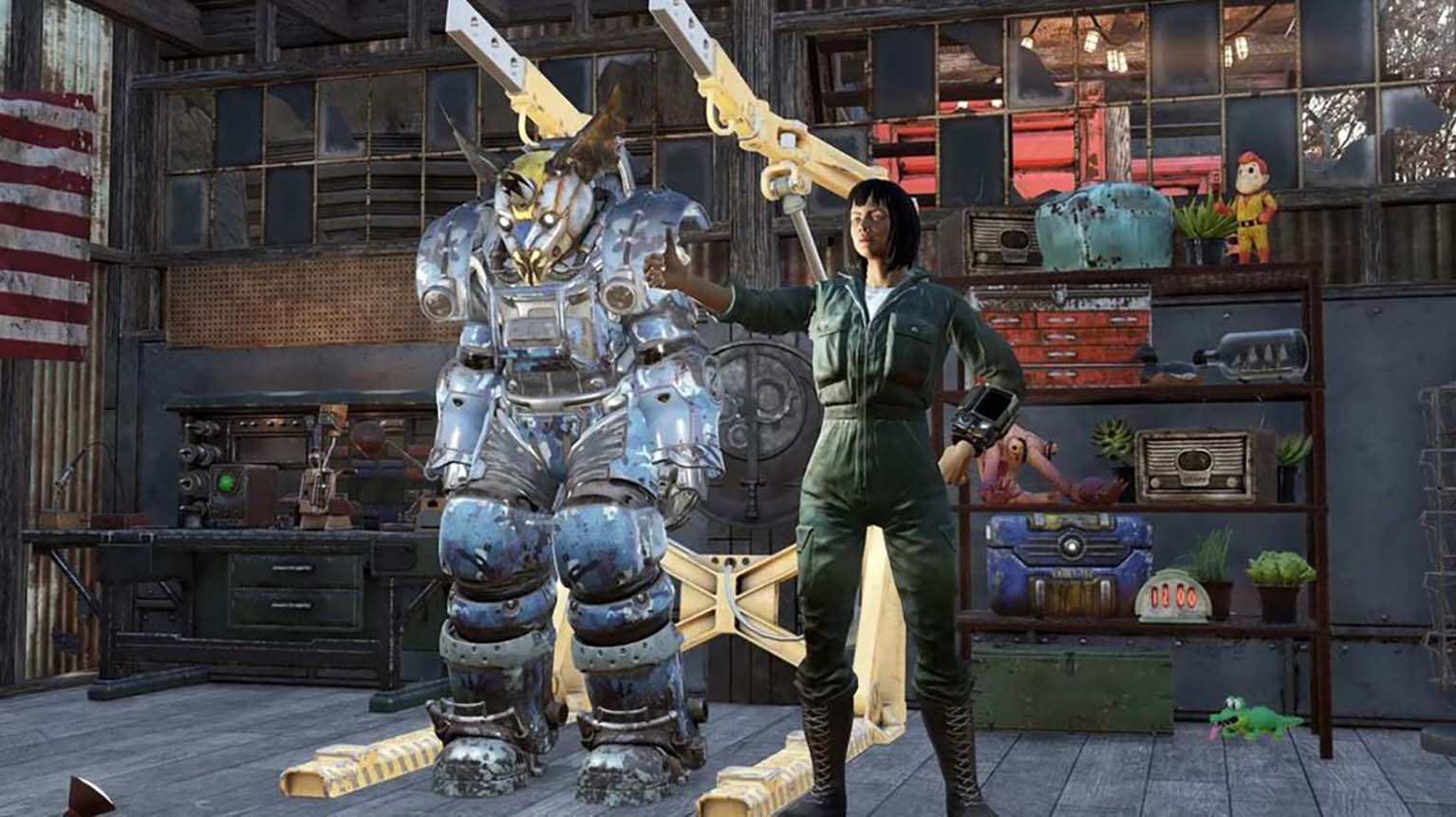
Fallout 76 Camp Update Patch Notes
Fallout 76 has introduced a major update that reshapes how players build and customize their settlements. The overhaul focuses on the CAMP system, bringing new tools and options that expand creative freedom while simplifying the building process. Alongside these structural changes, the update also refines the interface and adds protective features to help players manage and safeguard their items more effectively.
The patch does not stop at construction improvements. It also delivers adjustments to combat, including refinements to weapon handling, damage output, and perk interactions. These changes aim to create a smoother gameplay experience, balancing both ranged and melee combat while addressing several technical issues across the game.
Fallout 76 C.A.M.P Revamp Update Patch Notes
The latest update introduces a wide range of adjustments to the C.A.M.P. system, streamlining building, improving usability, and adding long-requested features. These changes affect construction rules, placement options, the Workshop interface, and quality-of-life improvements across multiple systems. Players now have more freedom to design, organize, and protect their creations while benefiting from a more intuitive interface.
Relaxed Construction Rules
Builders now experience far fewer restrictions when placing and connecting objects. Items that once required strict snapping can now be positioned more flexibly. For example, walls can be stacked beneath flooring, wallpaper can be applied to both sides of a surface, and upper floors can attach directly to walls without staircases.
Three placement modes provide different levels of control:
- Snap Mode (Normal): Standard snapping behavior.
- Collision Mode: Ignores snapping but respects collision boundaries.
- Free Mode: No snapping and no collision checks, allowing unrestricted placement.
Some ground-based items, such as crops or water-dependent extractors, still require specific surfaces. However, most objects can now be positioned more freely, including in mid-air. Foundations are no longer mandatory for many structures, and removing a piece no longer risks losing access to other parts of a build.
Power cables can now intersect with objects when placed, reducing the need for awkward routing. Blueprints continue to function as before but now support floating or unsupported objects without restrictions.
Workshop Menu Overhaul
The Workshop interface has been redesigned for clarity and speed. The new Workshop 2.0 menu introduces reorganized categories and subcategories, making it easier to locate specific build items. A streamlined layout reduces scrolling and improves navigation.
Main Categories and Examples of Subcategories:
| Category | Subcategories |
|---|---|
| Quests | Objectives (only appears during active quests) |
| Recent | Last-used items |
| History | New, Recent, Blueprinted, Stored |
| C.A.M.P. Pieces | Foundations, Porches, Floors, Walls, Roofs, Stairs, Doors, Columns, Fences |
| Defense | Barricades, Turrets, Traps |
| Power | Generators, Connectors |
| Lights | Candles, Ceiling Lights, Fire, Lamps, Signs, Wall Lights |
| Resources | Crafting, Collectors, Food, Producers, Water |
| Utility | Instruments, Player Benefits, Services, Vending Machines |
| Furniture | Appliances, Beds, Electronics, Seating, Shelves, Surfaces |
| Decorations | Balloons, Clutter, Crockery, Entertainment, Fauna, Holiday, Lawn, Novelties |
| Wall Décor | Accents, Ceiling, Holiday, Mounted, Novelties, Signs, Tapestry, Wall Art |
| Storage | Additional Storage, Displays, Stash Boxes |
| Structure | Farm, Frontier, Industrial, Military, Modern, Rustic, Scavenger |
| Dwellers | Allies, Pets, Pet Furniture |
This new organization reduces the time spent searching through menus and allows builders to quickly locate the exact item they need.
Modify Menu Enhancements
The Modify Menu has been redesigned with more direct access to customization tools. Players can now:
- Edit Mode: Move, store, or scrap existing items.
- Wallpapers: Apply or remove wallpaper styles across surfaces.
- Locks: Secure doors, generators, and resource collectors to prevent theft.
- Blueprints: Save and redeploy entire builds.
- Replace Function: Swap objects without scrapping and rebuilding.
This system gives players more control over their builds while reducing unnecessary steps.
Additional Quality-of-Life Features
Several smaller adjustments improve the building process and menu navigation.
- Switch modes with a single key press or controller stick click.
- Navigate menus faster with keyboard shortcuts or bumper inputs.
- Filter items by buildable, unlockable, or known status.
- Social menus and quest markers are hidden while building for a cleaner view.
- The Workshop remembers the last mode used when reopening.
- Options allow resizing of the Variants panel and expansion of the info card.
These refinements provide smoother interaction and reduce clutter during construction.
Caravan Event Adjustments
The Caravan event has been restructured for consistency. Players now receive rewards as long as the Brahmin survives, even if the full route is not completed. The event has a maximum duration of seven minutes.
Rewards are standardized, ensuring all participants receive the same number of supplies regardless of who initiated the event. This prevents uneven distribution and encourages cooperative play.
Item Locking System
A new Item Locking feature protects valuable gear from accidental scrapping, selling, or trading. Weapons, armor, Power Armor, consumables, and even medicines can be locked. Once locked, these items cannot be dropped or removed unintentionally.
Locking and unlocking can be done through multiple interfaces, including:
- Pip-Boy
- Stash and My C.A.M.P. device
- Workbenches
- Ammo Boxes
- Player-to-player trades
- NPC vendors
- Vending machines
- Allies and their menus
- Display cases
- Loot containers and corpses
By default, locked consumables cannot be used, but this can be adjusted in the settings menu. Locking does not prevent junk loss on death or the use of items in crafting recipes.
Accessibility Improvements
The update introduces expanded accessibility options to support more players. These include adjustments to controls, navigation, and interface readability. The development team continues to refine these features to ensure broader usability.
Seasonal and Event Content
The Mischief Night seasonal event returns on October 7. Players can travel to Rapidan Camp in Skyline Valley to participate in this refreshed activity, which combines lighthearted chaos with rewards.
Control Adjustments for Ping and Emotes
Based on community feedback, the input system for Ping and Emotes has been adjusted for controller users. The Ping command now requires pressing and holding the Down D-Pad, while Emotes are triggered with a simple press. This change aims to reduce accidental inputs and improve usability during gameplay.
The C.A.M.P. Revamp update delivers a broad set of building improvements, interface refinements, and quality-of-life changes. With relaxed construction rules, a redesigned Workshop, item protection systems, and event adjustments, builders and explorers alike gain more flexibility and convenience in shaping their Fallout 76 experience.