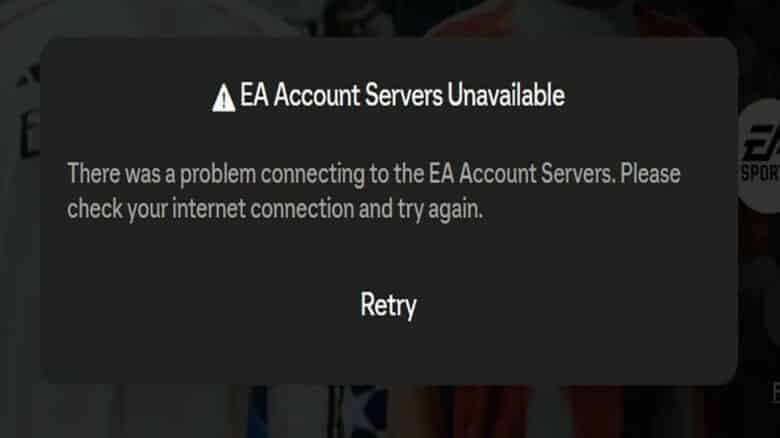
Players often encounter the “EA account servers unavailable” message when trying to access Ultimate Team through the FC 26 Web App. This issue prevents them from logging in to manage their squads, trade on the transfer market, or open packs. It commonly appears during periods of heavy traffic or when EA’s authentication systems experience temporary outages.
Server interruptions are a routine part of online gaming maintenance and can also occur during major promotional events. Checking EA’s official server status page or social media channels helps confirm whether the problem lies with the servers or the player’s connection before attempting any fixes.
EA Account Servers Unavailable Error Fix
When this error appears, clearing the browser’s stored data often helps. In Chrome, open the three-dot menu, choose Delete browsing data, select All time, check all boxes, and confirm. Firefox and Edge users can perform the same action through their privacy settings. Removing old cache and cookies clears potential conflicts that prevent authentication with EA’s servers.
Another reliable step is to log into Ultimate Team from the console or PC before using the Web App. Players can start FC 26, enter Ultimate Team, then return to the main menu. This process refreshes the account session and confirms access with EA’s servers.
If the issue continues, try the following:
| Step | Action | Purpose |
|---|---|---|
| 1 | Switch browsers (Chrome, Firefox, Edge) | Resolves browser compatibility issues |
| 2 | Disable browser extensions | Prevents interference with EA’s login system |
| 3 | Use Cloudflare WARP | Fixes IPv4 routing and enables IPv6 for better connectivity |
Applying these steps often restores stable access to EA’s online features.