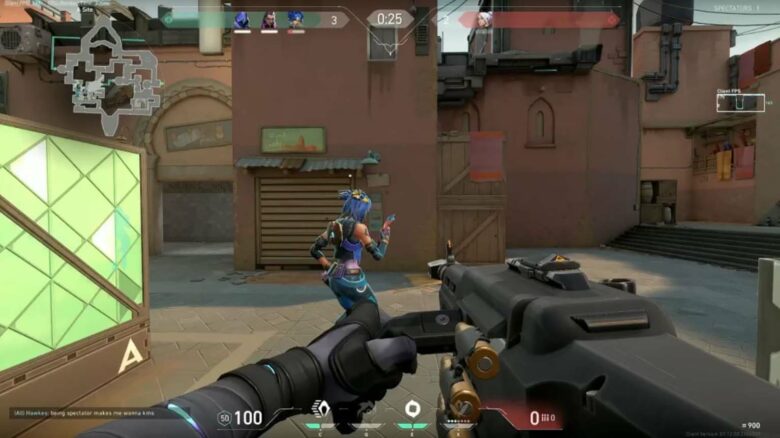
Valorant draws many tactical FPS players, and you may wonder how to change your field of view. FOV affects how much of the map you see on screen, which can influence awareness and aiming.
Valorant handles FOV differently than many shooters, and you cannot freely adjust it. You can still improve your experience by understanding why Riot Games keeps FOV locked and which display settings you can change instead.
Can You Change FOV in Valorant?
You cannot adjust FOV directly. Riot fixes the field of view at about 103°, so you and every opponent see the same angle. Your hardware, display size, and in-game options do not alter this setting. This lock ensures consistent visibility across all matches worldwide.
Why Valorant Does Not Allow FOV Change
Riot locks the field of view to protect competitive integrity, so you compete under identical visual conditions. You never gain extra awareness or easier aiming from display tweaks.
This approach supports fair ranked play and consistent esports results. You rely on skill, positioning, and decision-making rather than camera advantages.
Key reasons behind the lock:
- Equal vision for every player
- No hidden advantages from wider or narrower views
- Stable balance across matchmaking levels
- Consistent target visibility at known distances
Is There Any Way to Increase FOV in Valorant?
You cannot raise or lower your field of view in Valorant through any approved method. Riot locks FOV at a fixed value, and Vanguard enforces that rule.
Avoid these options:
- Third-party tools or overlays
- Config or file edits
- “Unlock FOV” guides or scripts
Using them risks penalties, including account bans.
Settings You Can Adjust Instead of FOV
You can refine how the game feels by tuning display and visibility options. These changes do not alter FOV, but they affect clarity and target perception.
- Resolution: Lower values can make character models appear larger, while higher values sharpen edges and reduce blur. Pick the option that supports your aim control.
- Aspect Ratio: Switching between 16:9, 4:3, or 5:4 changes image scaling and screen coverage. Letterbox or fill modes also influence comfort.
- Crosshair Options: Adjust size, color, and outlines to keep the reticle visible in all lighting.
- Graphics Quality: Reducing effects and shadows can improve frame rate and enemy visibility.
Does Monitor Size Affect FOV in Valorant?
Your monitor size does not change your field of view in Valorant. Riot locks FOV at a fixed value, so every player sees the same in-game space regardless of screen size.
A larger display can feel more immersive because targets appear physically bigger. That effect comes from scale, not added visibility.
| Factor | What Changes | What Stays the Same |
|---|---|---|
| Monitor size | Perceived image size | Actual FOV |
| Resolution | Clarity and sharpness | Viewing angle |
If you want better comfort, adjust resolution, aspect ratio, and graphics settings. Focus on aim, positioning, and decision-making, since settings cannot grant extra visual information.