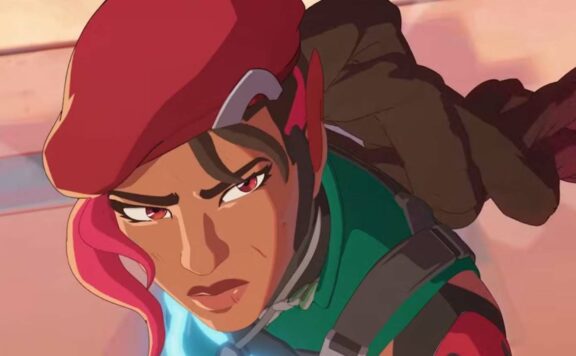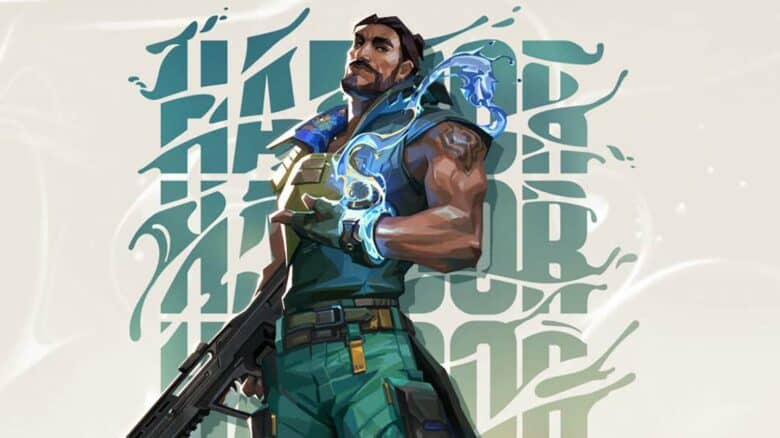
VALORANT Patch 11.10 introduces one of the most anticipated updates of the season, focusing on a complete overhaul of the agent Harbor. This rework aims to refine his abilities and improve his overall impact in team play, addressing long-standing community feedback.
Alongside Harbor’s changes, the update includes balance adjustments for Clove, tuning her performance to better align with other controllers. Console players also gain new updates designed to enhance gameplay and accessibility, marking a significant step in VALORANT’s ongoing evolution across platforms.
General updates
The latest update refines the in-game interface and collection menus across platforms. The top HUD health bar now shows when a player or teammate is healing. During recovery, the bar turns teal and gradually fills to reflect progress, then reverts to white once healing ends.
Additional interface improvements enhance customization and navigation:
| Feature | Platform | Description |
|---|---|---|
| Grid layout for Weapons & Buddies | PC | Replaces the old carousel view for easier browsing |
| Title management page | PC | Adds a dedicated screen to equip and view earned titles |
| Custom skinline backgrounds | PC & Console | Expands themed visuals across more Collection menus |
Players in Korea will receive these interface changes with patch 11.11 due to regional adjustments.
Agent updates
Harbor ability overhaul
Harbor gains a new tool called Storm Surge, giving him a more assertive way to pressure opponents and help teammates close out fights. His ultimate, Reckoning, now activates with smoother timing, improving coordination during site entries. These adjustments aim to make Harbor a more reliable controller in both attack and defense setups.
Clove tuning adjustments
| Ability | Change | Previous | New |
|---|---|---|---|
| Ruse | Maximum charges when dead | 2 | 1 |
| Pick Me Up | Overheal limit | 100 HP | 50 HP |
Clove’s pick rate remains high at 52.6% in competitive play, showing her continued influence despite reduced sustain and utility when eliminated.
Omen spectator visibility
Spectators can now view Omen’s Dark Cover placement from his perspective, offering clearer insight into his smoke positioning during live matches and replays.
Competitive queue
Players ranked Ascendant or higher in North America, Latin America, Brazil, and South Korea must now activate Riot Mobile multi-factor authentication (MFA) before entering Competitive matches. This security step only affects these upper tiers, while lower ranks continue to queue without change. The adjustment aims to strengthen account protection and maintain fair play in high-level competition.
Gameplay system adjustments
The patch refines how the “Use Object” command works. Holding the button now clears all attached debuffs simultaneously rather than one at a time.
For instance:
| Example | Effect Removed |
|---|---|
| Cypher’s Spycam Dart | Tracking debuff |
| Deadlock’s GravNet | Movement restriction |
This unified action simplifies interaction and reduces confusion during combat.
General bug fixes
The update resolves several gameplay and visual issues to improve consistency across matches.
Fixed issues include:
- Spike placement: Players can no longer plant the spike outside or above the intended site boundary. It now remains securely within the marked zone.
- Training bots: Bots in The Range now properly display flash effects when struck by blinding abilities.
- Combat Report display: Abilities no longer apply lingering effects to eliminated players or incorrectly appear in post-death status logs.
These corrections aim to ensure smoother in-game interactions and more accurate visual feedback.
Agents bugs
Clove
Developers corrected several issues affecting Clove’s Not Dead Yet ability. The agent no longer revives in random or unintended spots on the map. The ability also no longer activates after falling off the edge in Abyss. Teleportation conflicts with Iso’s Kill Contract that sent Clove back to spawn were resolved. Additionally, a collision problem that pushed Clove into walls when overlapping with Sage’s Barrier Orb has been fixed.
Cypher
Cypher’s Neural Theft now displays its proper minimap icon. The blank icon that occasionally appeared when using the ultimate has been removed, ensuring better clarity for teammates during post-round coordination.
Harbor
Harbor’s Cove now correctly awards assist credit for enemies eliminated while under its effect. Environmental interactions were also refined so that Viper’s Snakebite, Brimstone’s Incendiary, Sova’s Hunter’s Fury, and Killjoy’s Nanoswarm consistently damage the shield. These changes make Cove’s behavior more predictable in combat scenarios.
KAY/O
A visual inconsistency in the killfeed has been addressed. When KAY/O was the final player to die while NULL/cmd was active, the headshot indicator sometimes failed to appear. The feed now displays the correct icons in all cases, improving match clarity.
Killjoy
Two reliability fixes were made to Killjoy’s gadgets. The Alarmbot and Turret icons now remain visible on the minimap even when deactivated outside their active zones. Hit registration for the Alarmbot while jumping has also been refined, ensuring that detection and engagement occur as intended.
| Issue Type | Device | Fix Summary |
|---|---|---|
| Visibility | Alarmbot, Turret | Icons remain visible on minimap |
| Hit Detection | Alarmbot | Jumping no longer disrupts hit accuracy |
Omen
Omen’s Dark Cover now matches the visual darkness of other dome smokes on the minimap, improving consistency for players switching between controllers. The Paranoia ability’s minimap icon size has also been standardized, aligning with other agent ability markers.
Reyna
A movement-related glitch in Leer has been corrected. The projectile no longer animates in the wrong direction when Reyna jumps and quickly shifts her aim. This ensures that enemies see the correct visual cue when the eye is deployed.
Sage
Sage’s Resurrection indicator now properly tracks allies within her line of sight. Her Healing Orb no longer causes brief flickering of her hands during use. A sound bug from Slow Orb interacting with Cosmic Divide was also removed to prevent unintended audio feedback.
Veto
Crosscut now targets more consistently across different usable objects. Animation errors during Interceptor recall have been eliminated. A visibility issue that caused Crosscut to vanish or malfunction during the Buy Phase—especially under high latency—has been fixed.
Vyse
Visual clarity for Razorvine has improved. Decals that were visible beneath certain map surfaces now render correctly. The projectile also disappears after landing as intended, preventing lingering visuals that could confuse players.
Yoru
Yoru’s Fakeout clone now displays suppression effects when affected by enemy abilities. Observers can immediately see Blindside upon activation instead of after its first bounce. The flash’s color indicators now differentiate correctly when two Yorus are present. A sound bug that let enemies hear Blindside before impact has been resolved, ensuring fair audio cues.
Console-Specific Updates
Interface and Navigation Changes
Console players now experience a smoother interface when moving through menus during matchmaking. The Lobby allows direct navigation using tabs or shortcut buttons, reducing the need for extra steps.
- Custom Lobbies: These have been relocated to the Select a Queue section for easier access.
- Page Layouts: Both the Select a Queue and Map screens feature reorganized layouts for better readability.
- Queue Timer: While waiting for a match, a visible timer now appears in the upper-left corner of the Main Menu HUD.
| Feature | Update Summary |
|---|---|
| Lobby Navigation | Tab or shortcut button access added |
| Custom Lobbies | Moved to Select a Queue |
| Layouts | Refreshed for clarity |
| Queue Timer | Displayed on top-left HUD |
Current Client Problems
Some queue-related issues remain. The timer may fail to reset after a disconnection, and reconnecting can occasionally prevent queue cancellation. Restarting the game resolves this.
In custom matches, the lobby type may revert to Matchmaking after completion. Party members might not see the leader’s custom settings, and the queue menu still shows Choose a Mode instead of Choose a Queue. Developers are aware and investigating these bugs.
PC Only Updates
Premier
Players on PC can now access detailed Premier team data directly within the client. Information such as team roster, division, region, and score appears through several quick actions:
| Action | Result |
|---|---|
| Right-click a team in the standings | Opens the Team Details window |
| Right-click a friend in the social panel | Displays their team information |
| Select View Team on an invite | Shows the team’s full profile |
These options simplify tracking and managing competitive progress.