Dota 2 relies on teamwork, and you will often share matches with players who communicate well, coordinate plays, or keep a positive attitude. When someone improves your experience, you can acknowledge their effort through the in-game commend system.
You should understand how commends work and where to use them so you can recognize good behavior and strong performance. This guide explains what commends are and how you can give them to other players in Dota 2.
What Are Commends in Dota 2?
Commends let you recognize another player for a positive match experience. You use them to show appreciation for strong gameplay, teamwork, or respectful behavior.
After a match ends, you can award a commend to teammates or opponents. The option appears on the post-game screen, and you choose the players you want to acknowledge.
Dota 2 tracks every commend you receive across your account’s history. You can review your total through your profile, which reflects how often others valued playing with you.
Key points about commends:
- You give them at the end of a match
- You can commend allies and enemies
- The system records your lifetime total
- They contribute to your overall conduct standing
A high number of commends signals that other players consistently enjoy your presence in games. It also supports a stronger behavior score, which influences your experience in matchmaking.
Dota 2 How to Commend Players [Step-by-Step Guide]
You can only send commendations after you finish a match. The option does not appear during gameplay, so complete the game first in any mode.
When the match ends, the results screen displays all ten players along with their selected heroes. This is where you manage both reports and commendations.
Follow these steps:
- Wait for the post-game scoreboard to load.
- Move your cursor over a player’s name.
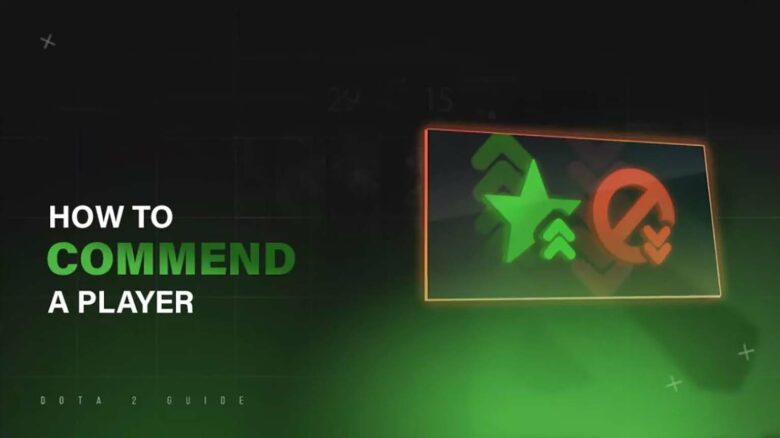
- Click the green star icon that appears next to their profile.
The green star represents the commend action. Once you click it, the system immediately sends your positive feedback to that player.
The player you commend receives a notification that includes your name. This makes the system transparent and direct.
You can commend multiple players in the same match. You are not limited to one selection, so you may recognize teammates, opponents, or every participant if you choose.
Act within the short window available on the end screen, since the option becomes unavailable after you leave that page.
View Your Commend Count in Dota 2
You can see your total commendations directly from your profile menu. Open Dota 2, then select your player profile from the main interface.
Click Edit Profile in the upper-right corner. Choose the plus (+) icon to add a showcase item.
Scroll to the Widget category and select it to reveal your commend total.
You can also place this widget on your profile so other players can view your commend count.
Ways to Earn More Player Commends in Dota 2
You increase your chances of receiving commends when you make a clear impact on the match. Focus on strong fundamentals such as last hitting, map awareness, objective control, and teamfight positioning. When you help secure wins, teammates often recognize your contribution on the post-game screen.
Your attitude matters as much as your mechanics. Stay calm, communicate useful information, and avoid blaming others for mistakes. Positive and constructive chat makes you stand out as someone others want to reward.
You can also politely request a commend trade after the match. Type a simple message like “swap commends?” in the results chat. Since players can give multiple commends without penalty, many will exchange them if the game felt cooperative.
Key actions that help:
- Play your role correctly
- Communicate clearly and respectfully
- Avoid toxic behavior
- Ask for a fair commend exchange