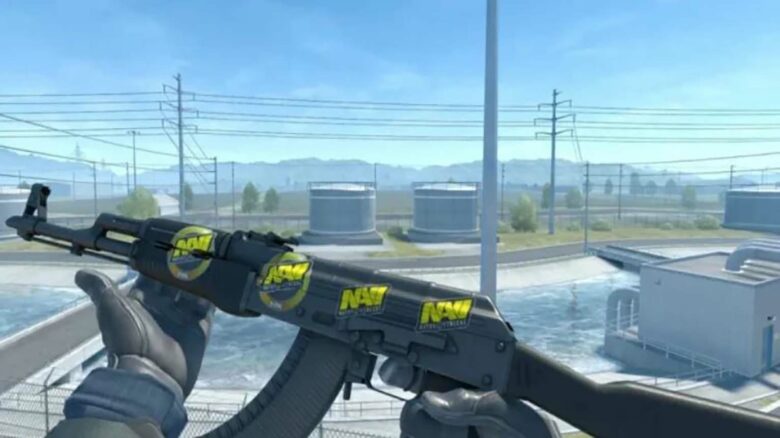
Players in Counter-Strike 2 often customize their weapon skins with stickers, but preferences can change over time. Some may want to remove unwanted designs or adjust how a sticker looks to better match their style. Scraping lets them wear down or completely erase stickers, giving skins a refreshed appearance or making space for new ones.
Each weapon can display only a limited number of stickers, so understanding how to manage them is useful for maintaining a clean and personalized loadout. Knowing how to properly scrape stickers ensures players can modify their weapons without damaging their skins or losing valuable customization options.
How to Scrape Stickers in CS2: Step-by-Step Guide
Scraping stickers in Counter-Strike 2 allows players to adjust how much of a sticker remains visible on a weapon skin. The process gives control over the level of wear, helping players fine-tune the appearance of logos, autographs, or decorative designs.
Follow these steps to modify or remove stickers:
- Open Inventory – Launch CS2 and access the player’s inventory from the main menu.
- Select Weapon Skin – Locate the weapon that has the sticker intended for scraping.
- Access Scrape Option – Right-click the weapon and choose “Scrape Sticker” from the context menu.
- Choose Sticker – Pick the specific sticker to edit. A preview will appear with a slider for adjustment.
- Adjust Scrape Level – Move the slider to set the desired percentage of wear. This changes how faded or intact the sticker looks.
- Confirm Action – Click “Scrape Sticker” to apply the changes. Selecting “Remove Sticker” deletes it completely from the skin.
| Action | Result |
|---|---|
| Light scrape (10–30%) | Slight fading, keeps most of the sticker’s detail |
| Medium scrape (40–70%) | Noticeable wear, borders may fade |
| Heavy scrape (80–100%) | Nearly removed or fully erased sticker |
Players can also apply scraped stickers directly from their inventory. To do this, right-click the sticker, select “Apply Sticker,” and choose a weapon skin. The game then prompts for placement and scrape adjustment before final confirmation.
This system gives players flexibility to personalize their weapons without needing to remove stickers entirely. Adjusting scrape levels helps achieve cleaner visuals or subtle wear effects that match individual style preferences.