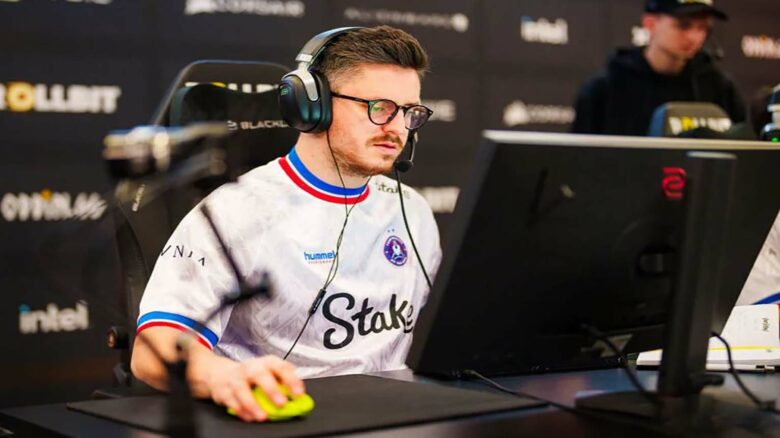
You likely know Dan “apEX” Madesclaire as the in-game leader behind Team Vitality’s sustained success. You see a player who shifted from entry fragging to leadership and stayed competitive across multiple Counter-Strike eras, including CS2.
That track record drives interest in the settings he uses today. You may not reach the same results by copying them, but testing his CS2 configuration can help you understand how a top-level IGL approaches consistency and control on the server.
apEX CS2 Settings
Mouse Configuration in CS2
You play with a low effective DPI that supports control and consistency. This setup favors strong positioning and steady tracking rather than rapid flicks.
Mouse and sensitivity
- Mouse: VAXEE E1 Wireless (Fluorescent Green)
- DPI: 400
- In‑game sensitivity: 1.91
- eDPI: 764
- Zoom sensitivity: 1.0
- Polling rate: 1000 Hz
- Windows sensitivity: 6
This combination keeps your aim predictable during long matches.
Crosshair Setup and Code
You use a clean static crosshair with no recoil following. The design stays visible without distracting you during fights.
Crosshair details
- Share code:
CSGO-US8wR-VECem-xkyHs-Vz5CY-wwXsO - Style: Classic Static
- Color: Yellow
- Thickness: 1
- Length: 1.5
- Gap: -3
- Outline: Off
- Alpha: 200
The minimal shape helps you focus on head-level placement.
Viewmodel Preferences
You avoid the default viewmodel and lower the field of view. This keeps your weapon out of the way while holding angles.
Viewmodel commands
viewmodel_fov 60
viewmodel_offset_x 2
viewmodel_offset_y 2
viewmodel_offset_z -2
viewmodel_presetpos 1
These values create a compact on-screen weapon position.
Game Launch Parameters
You do not rely on custom launch commands. You run CS2 without added startup options.
This choice keeps the game environment simple and stable.
Basic Video Options
You play on a stretched 4:3 resolution that many veterans prefer. This setting emphasizes player models and horizontal movement.
| Setting | Value |
|---|---|
| Resolution | 1280×960 |
| Aspect ratio | 4:3 |
| Scaling | Stretched |
| Brightness | 93% |
| Display mode | Fullscreen |
Advanced Graphics Choices
You prioritize performance while keeping key visual cues clear. Effects that add clutter stay disabled or low.
- Boost Player Contrast: Disabled
- V‑Sync: Disabled
- NVIDIA Reflex: Enabled
- G‑Sync: Disabled
- MSAA: 2×
- Global shadows: High
- Texture detail: Low
- Anisotropic filtering: 16×
- Ambient occlusion: Medium
- HDR: Quality
- FSR: Disabled
HUD Customization
You keep the interface compact and unobtrusive. Team-based colors improve clarity in fast rounds.
- HUD scale: 0.95
- HUD color: Team color
Radar Layout
You configure the radar to stay centered and rotate with movement. This helps you read spacing without shifting focus.
- Centered radar: Yes
- Rotating radar: Yes
- Radar size: 1
- Map zoom: 0.7
Hardware and Peripherals
You pair your settings with reliable tournament-grade gear. Each item supports consistency across practice and officials.
- Mousepad: Xtrfy GPZ1
- Monitor: ZOWIE XL2546K
- Keyboard: ASUS ROG Falchion Ace HFX (Black)
- Headset: ASUS ROG Delta II
apEX CS2 FAQs
You follow apEX under his real name, Dan Madesclaire. He was born on February 22, 1993, which makes him 32 years old. You know him as a French player who has stayed active at the top level for many years.
You currently watch him compete for Team Vitality. Earlier in his career, you may remember him playing for LDLC, Titan, EnVyUs, and G2. These teams shaped his experience across different competitive eras.
You can also watch apEX stream CS2 on Twitch. His streams focus on competitive play and practice sessions rather than entertainment-only content.
Core CS2 settings you often see him use:
| Setting | Value |
|---|---|
| DPI | 400 |
| In-game sensitivity | 1.91 |
| eDPI | 764 |
| Resolution | 1280×960 |
| Aspect ratio | 4:3 Stretched |
You often see him stick to a low-sensitivity setup for control and consistency. This approach supports structured team play and precise aim.
You can copy his current CS2 crosshair using this code: CSGO-US8wR-VECem-xkyHs-Vz5CY-wwXsO. You can also find his Steam account to view his profile and inventory.