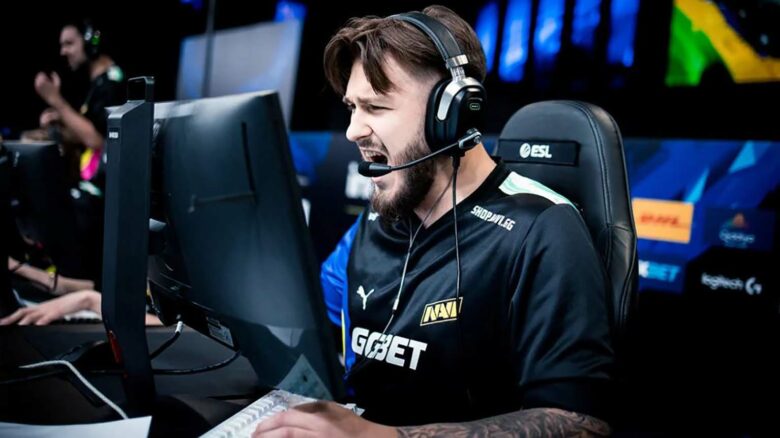
You likely know Justinas “jL” Lekavicius as a Major-winning rifler and a Major MVP from PGL Copenhagen 2024. You also see him today as a benched NAVI player who remains active as a Counter-Strike content creator.
Even without recent peak results, you still encounter jL as a relevant figure in the CS2 scene. You often look to his in-game settings because his experience at the highest level continues to influence how players approach performance and consistency.
jL CS2 Settings
Mouse Configuration Used by jL
You play with a balanced sensitivity that supports controlled rifle aim rather than extreme flicking. The setup favors consistency and steady crosshair placement.
| Setting | Value |
|---|---|
| Mouse | Logitech G Pro X Superlight 2 (Magenta) |
| DPI | 800 |
| In‑game Sensitivity | 1.00 |
| Effective DPI | 800 |
| Zoom Sensitivity | 1.00 |
| Polling Rate | 4000 Hz |
| Windows Sensitivity | 6 |
Crosshair Setup in CS2
You get a compact static crosshair designed to stay readable during fights. It avoids distractions like outlines or recoil following.
- Crosshair Code: CSGO-psrEO-csAfS-mvRKX-DBZLq-JxXsO
- Style: Classic static
- Thickness: 0
- Length: 1.1
- Gap: -2.8
- Color: Custom (Green 255, Blue 160)
- Alpha: Enabled at 255
Viewmodel Configuration
You keep the weapon model tight and unobtrusive. This layout maximizes screen space without hiding important animations.
| Command | Value |
|---|---|
| viewmodel_fov | 68 |
| viewmodel_offset_x | 2.5 |
| viewmodel_offset_y | 0 |
| viewmodel_offset_z | -1.5 |
| viewmodel_presetpos | 3 |
Game Launch Parameters
You do not rely on startup commands. CS2 runs without added launch options in this setup.
Display and Resolution Choices
You play on a stretched format that emphasizes player models. This choice trades visual width for target clarity.
| Option | Value |
|---|---|
| Resolution | 1280×1024 |
| Aspect Ratio | 5:4 |
| Scaling | Stretched |
| Brightness | 93% |
| Display Mode | Fullscreen |
Advanced Graphics Configuration
You prioritize stable performance while keeping key visuals readable. Effects that add input delay or visual clutter stay disabled.
- V-Sync: Disabled
- NVIDIA Reflex: Enabled
- G-Sync: Disabled
- Max FPS: 503
- Anti‑Aliasing: 2× MSAA
- Global Shadows: High
- Textures: Medium
- Ambient Occlusion: Medium
- FSR: Disabled
HUD Preferences
You keep the interface clean and easy to track at a glance. The color choice improves contrast without drawing attention.
- HUD Scale: 1
- HUD Color: Aqua
Radar Behavior and Layout
You rely on a rotating, player‑centered radar for quick spatial awareness. The zoom level favors clarity over map coverage.
| Radar Setting | Value |
|---|---|
| Center on Player | Yes |
| Rotating Radar | Yes |
| HUD Size | 1 |
| Map Zoom | 0.4 |
Hardware and Peripherals
You use tournament‑grade gear focused on precision and reliability.
- Mouse: Logitech G Pro X Superlight 2 Magenta
- Mousepad: Logitech G640 NAVI Edition
- Monitor: ZOWIE XL2586+
- Keyboard: Logitech G Pro X TKL Rapid Magenta
- Headset: Logitech G PRO X 2 Magenta
jL CS2 FAQs
You often see jL referenced by his in-game tag, but his real name is Justinas Lekavicius. He was born on September 29, 1999, which makes him 26 years old. You can trace his roots to Lithuania, where he began his professional Counter-Strike path.
You currently find jL benched from NAVI. Before that status, he competed with several well-known organizations. His career history includes time on NAVI, Apeks, and MAD Lions, giving you a clear view of his experience at top-tier and international levels.
You can occasionally watch jL on Twitch, where he streams CS2 gameplay and sometimes co-streams tournaments. His streams focus on in-game decision-making rather than entertainment-driven content.
Key personal details
| Detail | Information |
|---|---|
| Nationality | Lithuanian |
| Age | 26 |
| Status | Benched (NAVI) |
If you want to mirror his in-game feel, you should note his settings. He plays with 800 DPI and an in-game sensitivity of 1, resulting in an eDPI of 800. He uses a 1280×1024 resolution in 5:4 stretched mode.
For visual consistency, you can copy his latest crosshair code:
CSGO-psrEO-csAfS-mvRKX-DBZLq-JxXsO
You can also access his Steam profile and inventory through his public account.