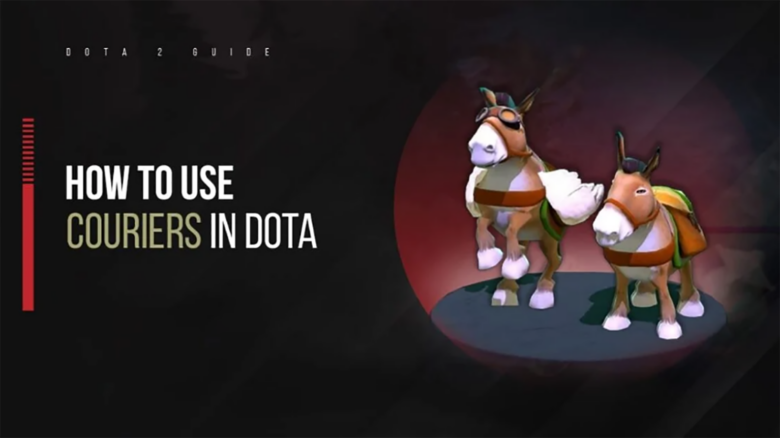
Items shape how you play Dota 2, and you rely on the courier to keep those items moving without pulling you back to the fountain. This small unit handles deliveries across the map so you can stay focused on farming, fighting, and positioning.
You use the courier constantly, whether you notice it or not, and mistakes with it can slow your progress or cost your team gold and time. Understanding how the courier works gives you more control over item timing and helps you play more efficiently in every match.
What is a Courier in Dota 2?
A courier is a unit you control that carries items from your fountain to your hero. You receive one at the start of every match, and it belongs to you alone. This system prevents shared access issues that existed in earlier versions of the game.
Key traits include:
- Transports purchased items directly to you
- Levels up during the match, improving movement
- Holds its own inventory, separate from your hero
Dota 2 Courier Basics: What You Should Know
You receive a personal courier at the start of every match, and it costs no gold. Each player controls their own unit, which removes the need to share deliveries or coordinate purchases early.
At first, your courier travels on the ground and moves at a slow pace. This limitation affects how quickly you receive items, so timing purchases matters during the opening minutes.
When your hero reaches level 4, your courier upgrades automatically. It gains flight, higher movement speed, and the ability to pass over terrain. Further hero levels continue to improve courier speed, which shortens delivery times as the game progresses.
Couriers remain vulnerable throughout the match. Enemies can kill them, and a death rewards gold to the opposing team. Your items stay safe, but you must wait for the courier to respawn before you can receive anything it carried.
| Courier Trait | What It Means for You |
|---|---|
| Shared start | One courier per player, no purchase needed |
| Early movement | Slower deliveries before level 4 |
| Flight upgrade | Faster, safer paths over terrain |
Your courier also includes utility abilities such as temporary speed boosts and defensive shielding. You should use these tools to reduce risk during deliveries and to keep item flow consistent.
Basic Courier Functions
Item Delivery Control
You use the courier primarily to move purchased items from a shop to your hero. After buying gear, issue the delivery command and the courier travels along a safe route toward you.
You can redirect the courier at any time. This control helps you avoid enemy vision or pause delivery if danger appears.
Common delivery uses
- Send early regeneration without leaving lane
- Queue multiple items for one trip
- Deliver to allied heroes when needed
Manual Base Recall
The courier automatically returns to the fountain after finishing a task. You can override this behavior and force a return at any moment.
Early manual recalls save time when you plan multiple purchases. The courier reaches the fountain sooner and prepares for the next delivery cycle.
| Situation | Why manual return helps |
|---|---|
| Staggered item buys | Faster pickup timing |
| Lane pressure | Fewer risky trips |
| Team coordination | Reduces courier conflicts |
Secret Shop Routing
Some components only appear in the Secret Shop. You can send the courier directly to that location instead of moving your hero.
Once the courier arrives, you complete the purchase remotely. This approach keeps you in lane while still progressing core items.
You should monitor the minimap during these trips. Enemy movement near common paths increases the risk of courier deaths.
Activating Courier Skills
Your courier gains active abilities as your hero levels. These abilities improve survival and delivery speed when used carefully.
- Speed boost: Unlocks later in the game and briefly increases movement speed. Use it to escape danger or shorten long trips.
- Protective shield: Unlocks even later and grants short invulnerability. Trigger it when enemies attempt to snipe the courier.
Both abilities have long cooldowns. Save them for high‑risk situations rather than routine movement.
Item Usage and Risks
The courier can activate Smoke of Deceit on your behalf. This feature reduces downtime when timing matters.
The courier cannot use other items. It also drops certain high‑value items on death, such as Gem or Rapier.
You should avoid carrying those items on the courier near enemies. Careful inventory management prevents unnecessary losses and swings in momentum.
How to Use the Courier Effectively in Dota 2
Set Up and Rely on Keybinds
You control the courier faster when you bind its actions to keys you can reach without looking. Keybinds let you send items, return the courier, or trigger abilities in a single motion. This speed matters during fights or tight farming windows.
Common courier actions to bind:
- Deliver items to your hero
- Return to fountain
- Use Speed Burst or Shield
Keep the Courier Alive
You lose gold and time when the courier dies, and you also reveal information to the enemy. Avoid sending it through contested lanes or into areas with missing heroes. Delay delivery if you hide in trees or near enemy vision.
| Risky Situation | Better Choice |
|---|---|
| Deep enemy jungle | Wait or reposition |
| Contested lane | Use Shield or reroute |
Let the Courier Handle Secret Shop Trips
You save time by sending the courier to the Secret Shop instead of walking there yourself. This keeps your hero farming, defending, or pressuring lanes. Queue the movement so the courier buys items and returns without extra input.
Scout High Ground for Ward Removal
You can use the courier’s flying vision to check cliffs and elevated spots. This vision helps you place sentries accurately without guessing. Supports often use this trick to clear wards while staying at a safe distance.
Tip: Move the courier briefly over the area, then pull it back before enemies react.
Activate Courier Skills with Purpose
Speed Burst shortens delivery time, which helps when you need items immediately. Save the Shield for moments when the courier crosses lanes or skirts enemy heroes. Thoughtful timing reduces deaths and keeps item flow consistent.
Use abilities deliberately, not on cooldown, to protect both your resources and your map presence.