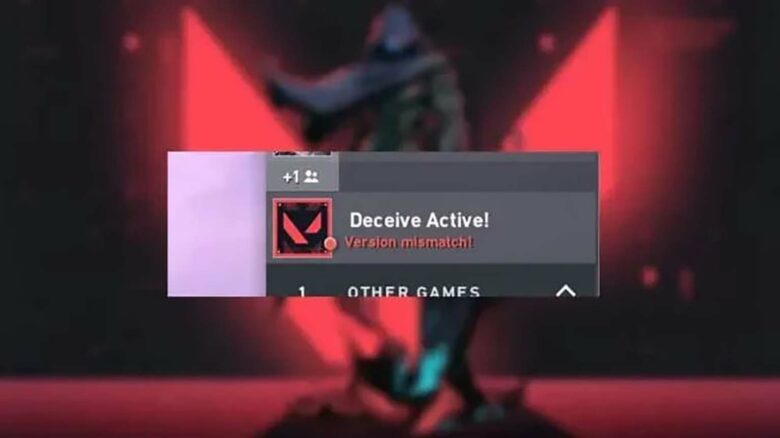
The version mismatch error in Valorant often appears after the game receives a new update. It happens when the game client on a player’s device does not match the version currently active on Riot’s servers. This mismatch prevents users from entering or joining matches, interrupting normal gameplay and competitive progress.
Although the issue can be disruptive, it is typically resolved with a few quick steps. Understanding why the error occurs helps players maintain a smooth gaming experience and keeps their system aligned with the most recent game version.
Understanding the Valorant Version Mismatch Error
The Valorant Version Mismatch Error appears when players attempt to launch the game while using an outdated client. It often occurs after Riot Games releases a new patch or update.
Common triggers include:
- Running an older game version
- Interrupted or unstable network connection
- Corrupted installation files
| Purpose of the Error | Effect |
|---|---|
| Preserve game integrity | Prevents mismatched clients from connecting to servers |
| Ensure fair competition | Keeps all players on the same version for balanced gameplay |
How To Fix Valorant Version Mismatch Error
Players often see the version mismatch error when the game client and server do not match in version. The most effective first step is to close Valorant completely and relaunch the Riot Client. The client will automatically download any missing updates. In most cases, this resolves the issue quickly once the latest patch is installed.
If the update does not fix the problem, the next step is to repair the game files. This can be done through the Riot Client under the settings menu. Select Valorant and choose the Repair option. The client will check all system files for damage or missing components and restore them as needed.
For some users, a system reboot helps the operating system correctly register updated game files. Restarting clears temporary data and syncs system processes that might interfere with game updates.
Should the error remain after these steps, a full reinstall may be necessary. Uninstall both Valorant and the Riot Client, then download a clean copy from the official website.
| Step | Action | Purpose |
|---|---|---|
| 1 | Update the game via Riot Client | Syncs local version with server |
| 2 | Repair game files | Fixes damaged or missing data |
| 3 | Reboot PC | Clears temporary caches |
| 4 | Reinstall game | Ensures all files and patches are current |
Note: Patch rollouts vary by region, so the newest update may not be available immediately.