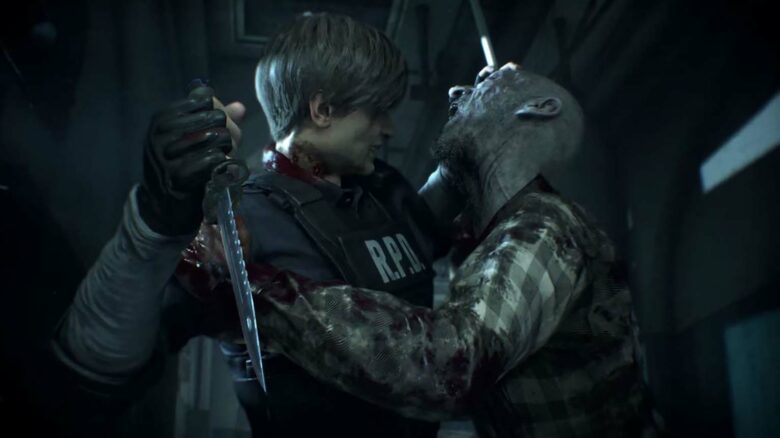
You continue to see Capcom return to Resident Evil 2, a game that remains central to the series’ identity. Its characters and locations still shape new releases, including Resident Evil Requiem, which brings Leon S. Kennedy and Sherry Birkin back into focus and revisits the Raccoon City Police Department.
Now you have another reason to pay attention. Capcom is preparing yet another way for you to experience Resident Evil 2, reinforcing how strongly the company values this entry and its lasting appeal.
Resident Evil 2: Arcade Offers Another Way to Play the Classic
Capcom and Bandai Namco have teamed up to bring Resident Evil 2 back once again, this time as a dedicated light-gun arcade experience. You step into an on-rails shooter built on the foundation of the 2019 remake rather than the original 1998 release.
The cabinet reimagines familiar scenes with a fixed shooting path, placing you directly in the action without the exploration-heavy structure of the console version. Leon and Claire return as playable characters, and the game supports cooperative play so you and a partner can move through scenarios together.
This approach is not new for the series. In the 2000s, Capcom released The Umbrella Chronicles and The Darkside Chronicles, both of which adapted major storylines into arcade-style shooters. The Darkside Chronicles even retold the events of Resident Evil 2, though it streamlined parts of the narrative and altered character perspectives.
This latest version follows that same arcade blueprint but updates it with assets and tone from the 2019 remake. You see modern character models, lighting, and environments adapted to a faster, score-driven format.
Key Features at a Glance
| Feature | Details |
|---|---|
| Gameplay Style | On-rails light-gun shooter |
| Playable Characters | Leon S. Kennedy, Claire Redfield |
| Co-op Support | Yes |
| Source Material | 2019 Resident Evil 2 remake |
| Platform | Arcade cabinet |
| Special Effects | Air jets and vibrating floor panels |
The physical cabinet adds sensory elements designed to increase tension. Floor vibration and air-blast effects respond to in-game moments, giving you physical feedback during encounters. These features aim to replicate the intensity of survival horror in a public arcade setting.
Location tests are scheduled in Japan, with limited availability elsewhere so far. As of now, Capcom has not confirmed a home console or PC version. You should treat this as an arcade-first project unless the company states otherwise.
The timing aligns closely with the franchise’s 30th anniversary on March 22. Some players expected news about other rumored projects, especially after speculation about additional characters appearing in future titles. Instead, Capcom highlighted this arcade adaptation during its recent presentation.
Industry leaks suggest several larger projects may follow in the coming years, including remakes of older entries and a new mainline installment. However, you should wait for official confirmation before treating those reports as fact.
For reference, the 2019 Resident Evil 2 remake launched on January 25, 2019. It carries an M for Mature rating due to violence, blood, gore, and strong language. Capcom both developed and published the title, rebuilding it with modern visuals and updated mechanics.
This arcade version does not replace that release. Instead, it reshapes it into a faster, score-focused format built for short sessions and repeat play.
We’re Not Seeing Ads Displayed on Your End
Advertising helps support ongoing coverage and keeps content accessible without subscription fees. When ads do not load, it limits the revenue that funds writers and site operations.
You may have a browser extension, VPN, or security tool preventing ads from appearing. Adjusting those settings allows the page to function as intended while you continue reading uninterrupted.
We rely on standard, non-intrusive ad placements rather than disruptive formats.
Steps to Enable Advertising for This Website
If you want ads to appear properly, check the following common settings:
Browser Extensions
- Click the extension icon in your toolbar.
- Select an option such as “Allow on this site” or “Pause blocking”.
- Refresh the page.
VPN Software
- Open your VPN application.
- Locate privacy or ad-blocking features.
- Disable blocking for this site, then reload.
Security or Antivirus Programs
- Open your software dashboard.
- Look for web protection, ad filtering, or similar tools.
- Turn off blocking for this page and refresh.
If you are unsure what is blocking ads, review your installed extensions and active privacy tools. Enabling ads helps maintain access to detailed gaming coverage without paywalls.