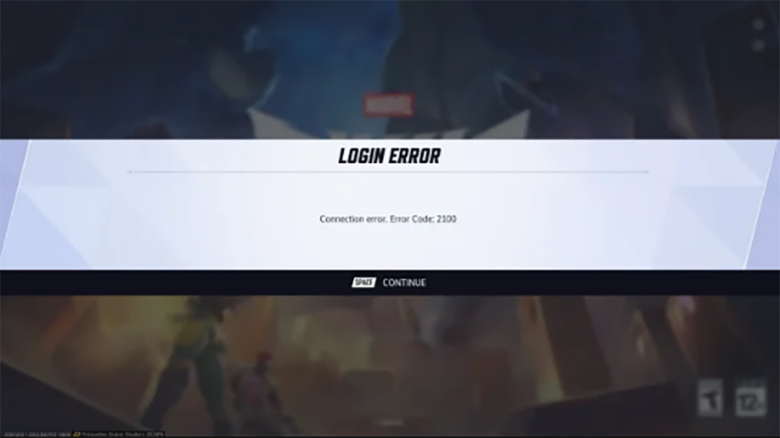
You may encounter Error Code 2100 in Marvel Rivals when the game blocks you at login or disconnects you before a match starts. This issue affects your ability to connect reliably and has appeared more often after recent updates, especially if you play on PC with a wired network.
The error usually ties to network-related problems rather than your account or hardware. Common triggers include ISP routing interruptions, conflicts between Ethernet and Wi‑Fi connections, server handshake issues during busy hours, and high latency that destabilizes your connection.
How to Fix Marvel Rivals Error Code 2100
Start by checking whether the game servers are available. You can confirm status updates through official Marvel Rivals channels or reliable outage trackers, and wait if maintenance is active.
Next, reset your connection basics. Power-cycle your modem and router for at least 30 seconds, toggle your network connection off and on, then relaunch the game.
- Use a mobile hotspot to log in: Disconnect Wi‑Fi and Ethernet, connect through your phone’s 5G hotspot, sign in, then switch back to your wired connection. This often bypasses routing or ISP conflicts.
- Refresh your PC network settings: Clear cached network data and assign a public DNS.
| Task | Action |
|---|---|
| Flush DNS | Run Command Prompt as admin and reset IP/DNS |
| Change DNS | Set DNS to 8.8.8.8 and 8.8.4.4 |
If the error persists, clear the launcher cache, verify game files, or reinstall to replace corrupted data.