If you follow survival horror, you likely know how Alien: Isolation built on the tension and atmosphere established by Ridley Scott’s 1979 film Alien. The game earned a reputation for delivering sustained fear through careful pacing, minimal resources, and a relentless enemy that reacts to your behavior.
You can trace its lasting impact to the way it respects the source material while standing on its own as one of the most intense horror experiences in gaming. With renewed attention on the franchise and fresh signs of life from its long-discussed sequel, interest in the series has returned in a meaningful way.
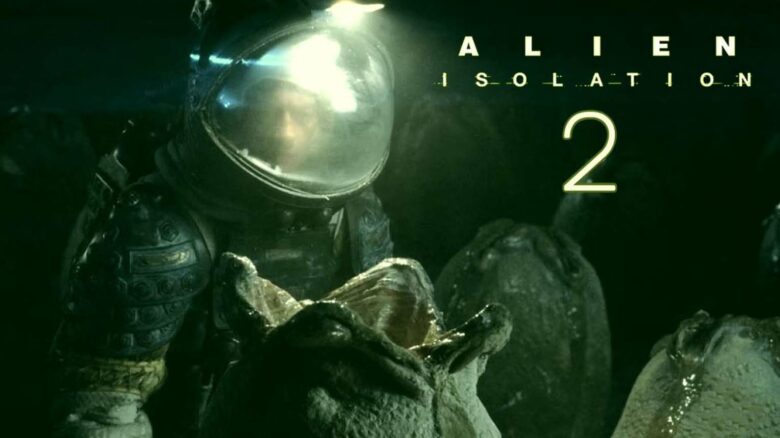
Alien: Isolation 2 Teaser Trailer
Creative Assembly has released a brief teaser for Alien: Isolation 2, following the sequel’s original announcement in 2024. Sega added a “coming soon” link to the studio’s post, signaling that more updates may arrive soon. You can expect additional details as development progresses.
The first Alien: Isolation launched on October 7, 2014, developed by Creative Assembly and published by Sega. It carries an M for Mature rating for blood, strong language, and violence. You can currently play it on:
- PlayStation 4 and PlayStation 5
- Xbox One and Xbox Series X|S
- Nintendo Switch
- PC
- iOS and Android
The teaser itself offers only a short glimpse, but its release confirms that the sequel remains active. With Alien Day 2026 bringing renewed attention to the franchise, you should watch Sega and Creative Assembly channels for official updates, platform confirmations, and a release window.
Advertising Not Currently Visible
You may notice that advertisements are not appearing on this page. Ads help fund site operations and support the writers and editors who produce content.
If you use blocking tools, they can prevent ads from loading properly. Allowing ads on this site helps maintain access to free material without subscriptions.
Steps to Enable Advertising on This Website
You can adjust your settings in a few quick steps:
- Open your browser’s extension menu.
- Select options such as “Pause on this site” or “Don’t run on this site.”
- Save changes and refresh the page.
If you use a VPN or security software:
- Open the application settings.
- Turn off ad blocking, tracking protection, or web filtering for this site.
- Reload the page to confirm ads display correctly.