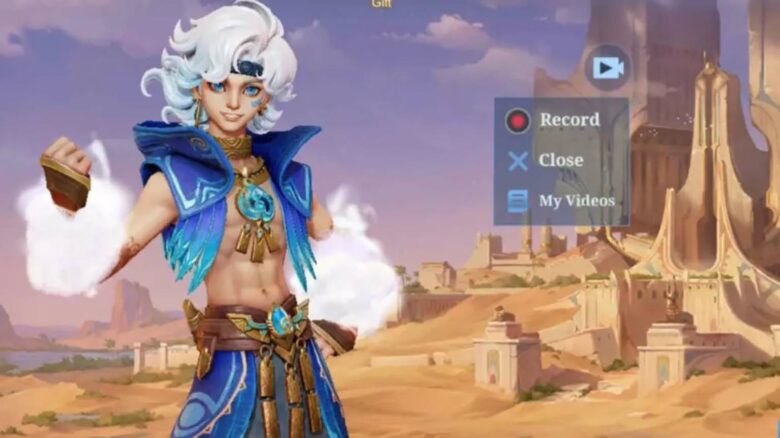
Mobile Legends: Bang Bang (MLBB) introduces an in-game screen recorder designed for players who want to save and share gameplay moments without relying on external apps. This new tool gives users a direct way to capture highlights, streamlining the process for those who create gameplay content or wish to review their matches.
The recorder offers essential video capture features but comes with certain restrictions that may influence how players use it. Its release signals MLBB’s efforts to improve accessibility and convenience for its community while maintaining balanced performance within the game.
How to access the free clip-sharing feature in MLBB
Capturing gameplay footage
Players can activate MLBB’s built-in recording tool through the game’s settings. After logging in, select the gear icon located beside the mail icon in the upper-right corner of the home screen. On the left menu, tap the Free Recording option.
From there, users can enable either In-Match Capture or Full Session Capture modes:
| Mode | Description |
|---|---|
| In-Match Capture | Displays the recorder only during active gameplay. It remains hidden on menus or lobbies. |
| Full Session Capture | Records both match and non-match activity, including menu navigation or skin draws. |
Switching between these modes allows players to decide when the recording tool appears. This setting can be adjusted anytime without affecting game performance.
Saving or posting recorded videos
Once the recording is complete, users can manage their clips directly in the same menu. From the home screen, tap the gear icon, then open the Free Recording section again. The list of recorded clips will appear there.
Select a video to open the available options:
- Download – Saves the clip to the device’s local storage for editing or archiving.
- Share – Posts the video directly to supported social media platforms.
These built-in tools remove the need for third-party recording apps, making it simple to preserve or share gameplay footage quickly.
What is the Video-Free Recording Function in MLBB?
The Video-Free Recording function in Mobile Legends: Bang Bang (MLBB) allows players to record gameplay directly in the app without relying on external recording tools. It simplifies video capture for players who want to save highlights, tutorials, or verify in-game behavior. The feature includes basic setup options, making it easy to use even for those unfamiliar with third-party recording software.
At present, it supports only 720p resolution, and users cannot manually adjust video quality settings. The system also asks for audio recording permissions, but it records only in-game sounds, not the player’s microphone input. Players who wish to add commentary must record their voice separately through another app.
| Feature | Description |
|---|---|
| Availability | Currently on MLBB’s advanced server |
| Video Resolution | Fixed at 720p |
| Audio Capture | In-game sounds only |
| Setup | Simple configuration for quick use |
Further updates may refine quality options or expand functionality once released globally.
MLBB Video Free Recording feature release date
The Video Free Recording feature in Mobile Legends: Bang Bang launches on December 18, arriving together with Ranked Season 38. Players can expect new ranked rewards and technical improvements as part of this update.
Alongside this release, the new fighter hero Sora joins the roster. He can shift between multiple ability sets, letting players adjust his playstyle for different lanes. This flexibility adds strategic depth but also increases his learning curve.
Update Highlights:
| Item | Details |
|---|---|
| Feature Name | Video Free Recording |
| Release Date | December 18 |
| Ranked Season | Season 38 |
| New Hero | Sora (Fighter type) |