The Free Fire Advance Server offers players an early look at upcoming updates, allowing them to experience new features, characters, and adjustments before they reach the full release. This testing phase helps the developers collect feedback while giving select players limited-time access to unreleased content.
As the OB52 Advance Server is expected to launch in late December 2025, interest in obtaining an activation code has grown rapidly. This unique code grants entry to the test server, making it a necessary step for anyone hoping to explore the latest developments ahead of the main game update.
What Is Free Fire Advance Server Activation Code?
The Free Fire Advance Server Activation Code functions as a unique access key issued by Garena to a limited number of players. It grants entry to a testing environment where upcoming updates, game adjustments, and new content are evaluated before the public release.
Only selected participants receive these codes because the server is reserved for players assisting in bug detection and feedback collection.
| Purpose | Description |
|---|---|
| Access Control | Determines who can log in to the Advance Server |
| Testing Role | Allows users to explore unreleased content and report issues |
| Necessity | Required even if the APK is installed |
Purpose Behind Garena’s Activation Codes
Garena issues Advance Server Activation Codes before each major update to allow selected players to test upcoming features early. This process helps identify and report bugs, glitches, and gameplay balance issues.
By gathering structured feedback, developers can refine the update and ensure stability before release. Only a limited number of participants receive these codes, keeping the testing environment controlled and data reliable.
| Goal | Benefit |
|---|---|
| Early testing | Detect errors before launch |
| Limited access | Manage server load and feedback quality |
How to Obtain the Free Fire OB52 Advance Server Access Code
Players can request an OB52 Advance Server Activation Code only after Garena opens the official registration portal. The website becomes active during the test period for the upcoming update. At that time, participants must complete a few verification steps to qualify.
Steps to register:
- Visit the Free Fire Advance Server website once it is available.
- Log in using the Google or Facebook account linked to the player’s main Free Fire account.
- Provide a valid email address to receive updates or notifications about the registration.
- Press Join Now to submit the registration form.
If approved, the activation code will appear on the website’s confirmation page. Players should record or screenshot the code because it is required later to access the test client.
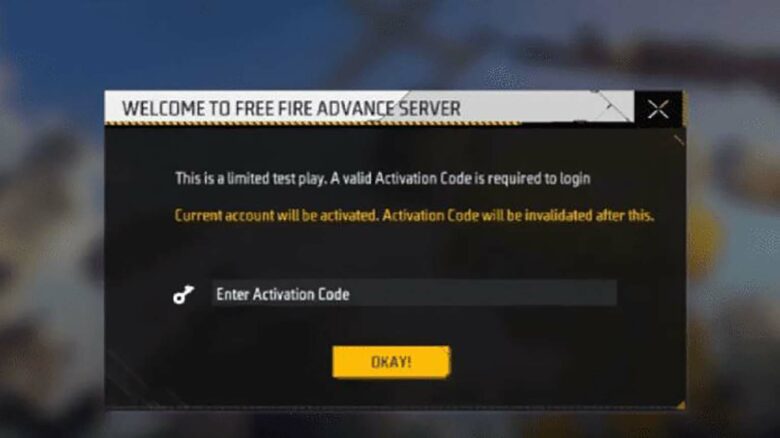
After obtaining the code, download and install the Advance Server APK from the same portal. During installation, the system will request the activation code. Enter the exact code provided to unlock server access.
| Step | Action | Purpose |
|---|---|---|
| 1 | Log in with linked account | Verify game ownership |
| 2 | Enter email address | Receive updates |
| 3 | Submit registration | Apply for access |
| 4 | Use received code | Unlock Advance Server |
Only accounts with valid codes can enter the OB52 test server even if the APK is already installed.