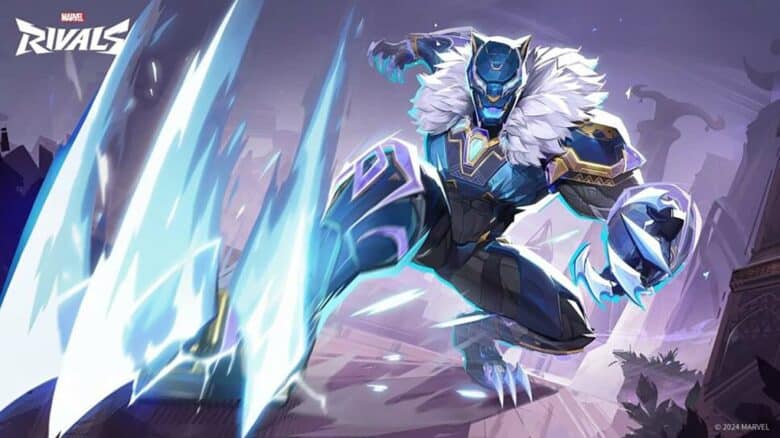
Marvel Rivals has quickly become a standout in the hero shooter genre since its release in late 2024. Its accessible gameplay and free entry have drawn a large player base eager to explore its expanding roster of heroes, modes, and events. Regular updates keep the experience fresh, offering new content that encourages both newcomers and returning players to stay engaged.
As a free-to-play title, much of Marvel Rivals’ customization relies on in-game purchases, but the developers have also introduced a code redemption system. This feature allows players to unlock select skins, cosmetics, and other rewards without spending currency, adding an extra layer of accessibility and incentive for continued play.
Marvel Rivals codes
Redeemable codes in Marvel Rivals provide players with limited-time access to exclusive skins and cosmetic rewards. Each code remains active only for a set period, so players should claim them as soon as possible before they expire. The availability of new codes changes without notice, and active ones are verified as of early November 2025.
Currently Working Codes
Below is the list of codes that remain valid and can still be redeemed for rewards:
| Code | Reward |
|---|---|
| prt4qpdnxht | Doctor Strange – Master of Black Magic Skin |
Players can redeem these codes through the in-game redemption menu to instantly unlock the listed cosmetic.
Inactive or Expired Codes
The following codes have already expired and no longer grant rewards:
| Code | Reward | Expiration Date |
|---|---|---|
| nwarh4k3xqy | Iron Man – Armor Model 42 Skin | March 5, 2025 |
| HEREISTHETHING | Iron Man – Armor Model 42 Skin | Expired |
New codes will continue to appear periodically, replacing older ones as they expire.
How to redeem codes in Marvel Rivals
Players can unlock in‑game rewards by entering valid codes through the settings menu. To do this, they should follow these steps carefully:
- Open Marvel Rivals on any supported platform.
- Select the gear icon in the upper‑right corner of the main screen.
- Click on Bundle Code from the drop‑down list.
- Type or paste the redemption code into the text field.
- Press the yellow “Use” button to confirm.
| Step | Action | Result |
|---|---|---|
| 1 | Launch game | Access main menu |
| 2–3 | Open settings and choose Bundle Code | Display code input box |
| 4–5 | Enter and confirm code | Reward appears in account |
Codes work across all platforms, but accuracy matters—any typing error will prevent successful redemption.