You play Dota 2 against real people in live matches where every second matters. When your connection drops, a teammate disconnects, or you need a short break, the game allows you to pause the action so everyone can regroup.
Understanding how the pause system works helps you handle interruptions without disrupting the match more than necessary. You need to know when you can pause, how to resume play, and what rules apply in public and ranked games.
Understanding the Pause Function in Dota 2
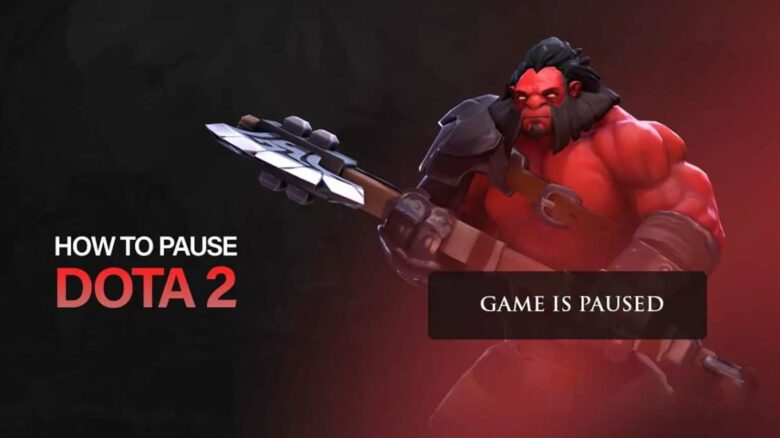
When you pause a match in Dota 2, you temporarily stop all gameplay activity. Hero movement, abilities, cooldowns, and the in-game timer freeze at their current state, and no actions progress while the pause remains active.
You can still use text chat and manage certain non-gameplay tasks. For example, you might reconnect after a disconnect or step away from your keyboard briefly.
Players usually pause for practical reasons. Common situations include internet issues, hardware problems, or short real-life interruptions that require your immediate attention.
Steps to Pause a Match in Dota 2
Configure Your Pause Keybind
Dota 2 assigns F9 as the default pause key. You can keep this binding or change it to a key that feels more comfortable.
To review or modify it:
- Open Settings
- Go to Hotkeys
- Select Interface
- Locate the Pause command
Adjust the keybind if needed, then save your changes. Setting a convenient key helps you react quickly during a match.
Activate the Pause During a Match
After you confirm your keybind, press the assigned key while you are in an active game. The match will stop immediately once the pause registers.
You can pause at any point in the game. Players often use this feature when someone disconnects or encounters a technical issue.
Resume the Game
To continue playing, press the same pause key again. This action attempts to restart the match from its paused state.
If multiple players interact with the pause, the game will resume once the system allows it. Use the same key you assigned earlier to control both pausing and resuming.
Dota 2 Pause Rules and Interactions
Who Is Allowed to Pause?
Any player on either team can stop the match at any moment. You do not need permission from teammates or opponents.
Each player has a five-minute cooldown after using a pause. You must wait for that timer to expire before pausing again.
How the Game Reacts to a Pause
The match does not always stop instantly. The behavior depends on player connection status.
- All ten players connected: a three-second countdown appears before gameplay freezes.
- One or more players disconnected: the game halts immediately with no delay.
This system gives active players a short warning while protecting disconnected players from losing time.
Rules for Resuming Play
Unpausing also follows specific conditions based on disconnects.
- No one disconnected: anyone can resume the match right away.
- Enemy disconnected: your team must wait 30 seconds before unpausing.
- Teammate disconnected: your team can unpause without delay.
When the match resumes, a three-second countdown plays before control returns.
Common Situations and Expectations When Using the Pause Feature
You will often see pauses used when a player disconnects due to lag, crashes, or network issues. In most matches, you pause to give that player time to return so both teams can continue under fair conditions.
Not every team respects that intent. If an opponent disconnects, the other side may see an opportunity and try to resume play as soon as the system allows.
A typical sequence looks like this:
- One of your teammates disconnects, and someone on your team pauses the match.
- The opposing team repeatedly attempts to unpause, pressing the default pause key (F9) until the timer allows the game to continue.
- Another teammate pauses again, adding a short delay.
- This cycle continues until your team exhausts its available pauses.
Each player must wait several minutes before issuing another pause, which limits how long you can stall the match. In practice, you usually have only a brief window—often around two minutes in total—for a disconnected teammate to return before the game continues without them.
You should expect this pattern and plan accordingly when technical problems occur.
Hidden Etiquette and Tactical Uses of Pausing in Dota 2
You control more than the clock when you pause. You also influence momentum and player mindset.
Some players pause right after an opponent makes a major mistake or loses a decisive fight. This forces the other team to sit with the outcome instead of immediately moving on. Many consider this poor sportsmanship, but it can disrupt focus and shift mental pressure in your favor.
Use this tactic carefully. Overusing pauses for psychological impact can frustrate both teams and damage cooperation.
When you need a short break, disconnect instead of staying in the match. If you remain connected after pausing, the enemy can resume instantly. If you disconnect, they must wait before unpausing, which gives your team extra time.
You can also coordinate this approach if a teammate suddenly goes AFK. A quick disconnect from someone on your side extends the enforced delay and protects valuable seconds.
If you plan to restart or reconnect, pause before leaving. The short countdown creates a safe window to exit. Once you drop from the server, the opposing team cannot resume immediately, which effectively preserves your team’s pause resources.
Key practical habits:
- Avoid pausing while still connected if you need maximum delay
- Pause first, then disconnect when restarting
- Use psychological pauses sparingly
- Coordinate with teammates during unexpected AFKs
Handle pauses with intent. Every second matters, and smart timing gives you measurable control over the match flow.