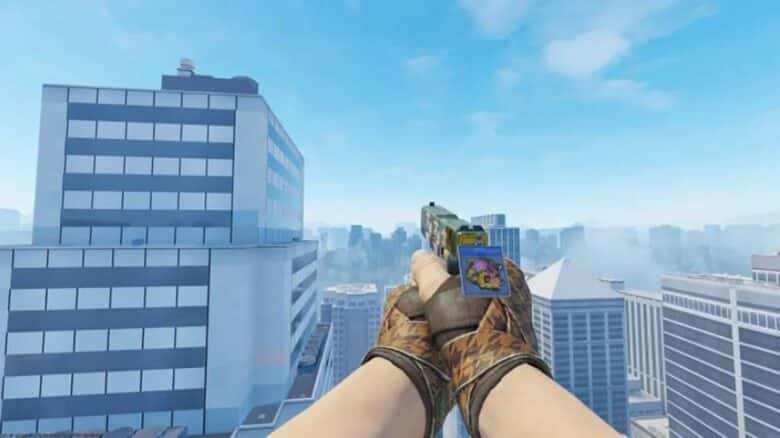
Valve has introduced a new cosmetic option in Counter-Strike 2 called Sticker Slabs, giving players a flexible way to display their favorite stickers as weapon charms. This feature expands customization by letting users convert any owned sticker into a charm that can be attached to any weapon.
Each Sticker Slab costs $0.50 and can be unsealed at any time, returning the original sticker to the player’s inventory. The system allows collectors to show off rare or valuable stickers without permanently applying them to a skin, offering both creative freedom and practical value.
How to Use Sticker Slabs in CS2
Players can convert any sticker into a reusable charm by using a Sticker Slab. To begin, they open CS2 and navigate to the Store tab. Under Tools, they select Sticker Slab, choose the desired quantity, and finalize the purchase. The slabs then appear in their in-game inventory.
To apply one, players follow these steps:
- Open the inventory and select a sticker.
- Choose Seal in Sticker Slab from the options.
- Hold the green confirmation button to complete the sealing process.
| Step | Action | Result |
|---|---|---|
| 1 | Purchase Sticker Slab | Added to inventory |
| 2 | Select sticker | Ready for sealing |
| 3 | Seal and confirm | Sticker becomes a charm |
The sealed sticker can now be equipped as a charm on any weapon.