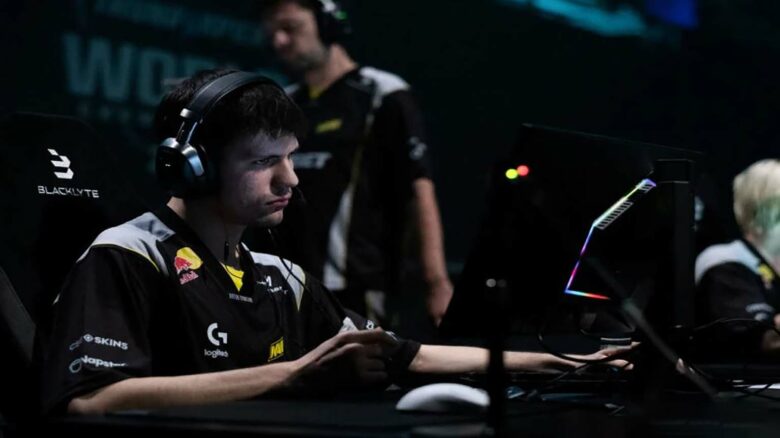
You follow Valerii “b1t” Yevheniiovych as a model of consistency at Natus Vincere, where he delivers reliable impact in demanding roles. At 23, you see a player who has already secured two Major titles across CS and CS2 through steady performance rather than flash.
You notice how he extracts value from difficult positions, which explains his importance to NAVI’s structure. That reliability drives ongoing interest in his CS2 settings, as you look to understand how his setup supports precise, repeatable play.
b1t CS2 Settings
b1t CS2 Mouse Configuration
You use a low effective DPI setup that supports steady crosshair placement and controlled aim. This approach fits a playstyle built around holding angles rather than wide flicks.
| Setting | Value |
|---|---|
| Mouse | Logitech G Pro X Superlight 2 (Black) |
| DPI | 400 |
| Sensitivity | 1.65 |
| eDPI | 660 |
| Zoom Sensitivity | 1.00 |
| Polling Rate | 2000 Hz |
| Windows Sensitivity | 6 |
This setup prioritizes consistency and minimizes overcorrection during duels.
b1t CS2 Crosshair Setup
You run a clean static crosshair that avoids distractions and keeps focus on precise placement. The design stays visible without overpowering the screen.
Crosshair Code: CSGO-Afqyt-BkB8V-XKBPn-wXZY5-6QBUM
| Option | Value |
|---|---|
| Style | Classic Static |
| Follow Recoil | No |
| Length | 1 |
| Thickness | 1 |
| Gap | -4 |
| Outline | Off |
| Color | Green (255, 255, 255) |
| Alpha | 255 |
| Dot | Off |
b1t CS2 Viewmodel Configuration
You keep the weapon model close to default values to avoid unnecessary visual changes. This choice maintains familiarity and reduces adjustment time.
viewmodel_fov 68
viewmodel_offset_x 2.5
viewmodel_offset_y 0
viewmodel_offset_z -1.5
viewmodel_presetpos 2
These values balance screen space and weapon visibility.
b1t CS2 Launch Parameters
You use launch options that focus on performance, refresh rate accuracy, and faster startup.
- +fps_max 500
- -freq 360
- -console
- -tickrate 128
- -novid
- -rate 786432
This configuration removes unnecessary limits and delays.
b1t CS2 Video Configuration
You play with a stretched 4:3 aspect ratio to emphasize player models. A lower resolution helps maintain high and stable frame rates.
| Setting | Value |
|---|---|
| Resolution | 1280×960 |
| Aspect Ratio | 4:3 |
| Scaling Mode | Stretched |
| Brightness | 93% |
| Display Mode | Fullscreen |
b1t CS2 Advanced Graphics Options
You favor performance-focused settings while keeping essential visual clarity. Shadows remain detailed enough to read player movement.
| Option | Value |
|---|---|
| Boost Player Contrast | Enabled |
| V-Sync | Disabled |
| NVIDIA Reflex | Disabled |
| G-Sync | Disabled |
| In‑Game FPS Limit | 400 |
| Anti‑Aliasing | 8x MSAA |
| Global Shadows | High |
| Texture / Shader Detail | Low |
| Ambient Occlusion | High |
| HDR | Performance |
| FSR | Disabled |
b1t CS2 HUD Preferences
You use a slightly reduced HUD scale to keep the screen clean while preserving readability.
- HUD Scale: 0.95
- HUD Color: Team Color
This setup keeps critical information visible without clutter.
b1t CS2 Radar Configuration
You rely on a rotating radar centered on your position to maintain spatial awareness during movement.
| Setting | Value |
|---|---|
| Center Player | Yes |
| Rotating Radar | Yes |
| Radar Size | 1.06 |
| Map Zoom | 0.25 |
b1t CS2 Gear and Equipment
You pair your settings with proven esports hardware focused on precision and reliability.
- Mouse: Logitech G Pro X Superlight 2 (Black)
- Mousepad: Logitech G640 NAVI Edition
- Monitor: ZOWIE XL2566K
- Keyboard: Wooting 80HE (Black)
- Headset: Logitech G PRO X 2 (Black)
b1t CS2 FAQs
You follow b1t as a professional CS2 player competing under Natus Vincere (NAVI). He represents Ukraine and built his reputation through consistent top-tier play at elite events.
You may know him by his in-game name, but his given name is Valerii Yevheniiovych. He was born on January 5, 2003, which makes him 23 years old.
| Profile detail | Information |
|---|---|
| Nationality | Ukraine |
| Current team | NAVI |
| Former team | NAVI Junior |
You can watch b1t play CS2 live on Twitch, where he streams matches and practice sessions. His channel focuses on gameplay rather than commentary.
You often see questions about his mouse setup. He uses 400 DPI with an in-game sensitivity of 1.65, which results in an eDPI of 660. This setup favors controlled aim and precise adjustments.
You can also mirror his display preferences. He plays on 1280×960 using 4:3 stretched, a common choice among professional riflers for wider player models.
You may want to copy his crosshair for consistency. His current CS2 crosshair code is CSGO-Afqyt-BkB8V-XKBPn-wXZY5-6QBUM.
You can find his Steam account and CS2 inventory through his public profile. This gives you direct access to his in-game activity and items.