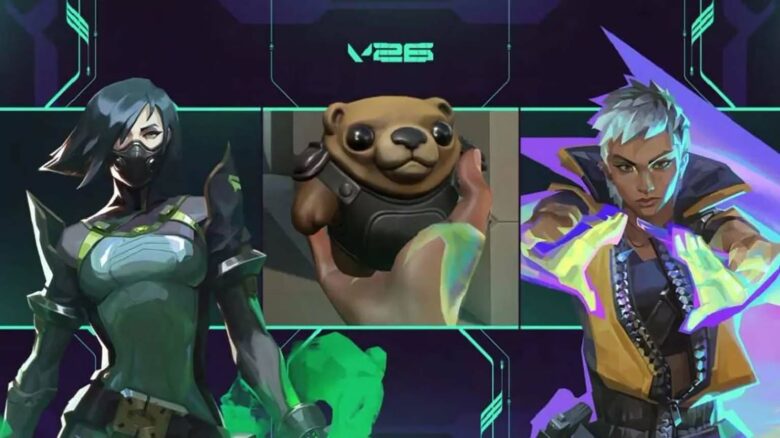
Riot Games has released Patch 12.06, bringing a focused set of updates that adjust balance and improve core mechanics. While the patch does not overhaul the meta, you will notice targeted changes that affect gameplay feel and agent performance.
You can expect a meaningful nerf to Waylay, technical improvements to Viper’s Pit through backend adjustments, and a fix that restores Flex movement speed to its intended state. The update also includes additional tweaks and refinements designed to keep matches consistent and competitive.
General Updates in 12.06
Patch 12.06 refreshes the end-of-match presentation you see after every game.
You now experience updated Victory, Defeat, and Draw screens with revised visuals and adjusted sound effects.
These changes focus on presentation only, but you will notice them at the close of each session.
Agent Updates
Waylay’s Saturate: Instant Cast Replaced with Equip Time
Waylay’s Saturate no longer activates immediately. You now need to equip the ability before using it.
This adjustment reduces low-risk setups that offered minimal counterplay. Previously, you could chain abilities and apply Hinder with little exposure, even while airborne. That pattern shifted risk away from you and limited enemy response windows.
Riot aims to keep Duelists responsible for the danger they create. By adding an equip step, you must commit more deliberately before applying pressure.
Change:
- Saturate: Instant → Equip
This update encourages tighter coordination. You now rely more on timing and team support rather than using Saturate as a near-riskless opener.
Viper: Backend Improvements to Viper’s Pit
Viper’s ultimate received technical adjustments that improve how the toxic cloud interacts with map geometry.
You should notice more reliable spread behavior, especially in areas with uneven elevation or tight structures. Specific spots such as Haven A Tower and Icebox A Pipes now handle the ultimate more consistently.
Change:
- Viper’s Pit: Cloud propagation refined for improved consistency across terrain
The update also removes rare cases where the ability could fail to deploy correctly.
Yoru: Additional In-Game Voice Over
Yoru now features new voice lines.
These additions expand his in-match dialogue without altering gameplay mechanics. You will hear updated interactions during standard play scenarios.
Flex Movement Speed Adjustment
You now move at full melee speed while using Flex. Previously, Flex relied on ability movement values, which ran at 90% of melee speed and created hesitation during rounds.
Many players avoided equipping Flex because a mistimed click could slow you at a critical moment. That risk reduced confidence in using cosmetic animations during live play.
What changed:
| State | Movement Speed |
|---|---|
| Before | 90% of melee speed |
| Now | Matches melee speed |
This update applies to all existing and future Flex items. Competitive integrity standards still apply in third-person views, so you keep consistent performance without sacrificing visual flair.
Performance Updates
Riot has activated push-model replication on servers to improve how data moves during matches. You should not notice client-side changes, but monitor your games for unusual behavior and report issues. This backend shift targets efficiency and future scalability.
Bug Fixes
Agents and Ability Updates
You will see several stability and clarity improvements across multiple agents.
- Veto: The Crosscut icon now appears correctly on the minimap when you set the Enemy Highlight Color to red.
- Miks — Harmonize: First-person visual effects no longer end too early, and the targeting interface no longer overlaps with a teammate’s loadout panel.
- Miks — Waveform: The placement indicator no longer lingers in third-person view after you deploy a smoke.
- Miks — M-pulse: The device no longer becomes stuck in certain map locations or remain indestructible.
- Clove — Ruse: After death, you can now unequip Ruse without being forced to activate it.
- Tejo — Guided Salvo: The ability no longer allows an unintended third cast.
These changes improve visual consistency, prevent UI conflicts, and close unintended gameplay exploits.
End-of-Match Interface Improvements
You will notice cleaner layouts and better spacing throughout post-match screens.
Across the summary, scoreboard, timeline, and performance views, text size has been reduced to improve readability. Sub-navigation spacing has been adjusted so tabs and elements no longer feel compressed.
Additional fixes include:
- Improved spacing between leaderboard rows
- Corrected alignment of buttons and dropdowns in Career Match History
- Refined text sizing within each match entry
- Resized timeline round boxes to display more rounds on screen
These updates make it easier for you to review match data without clutter or overlap.
In-Game Store and Gifting Fixes
Store interfaces now display text and images more consistently.
- Japanese skin names in the rotating shop no longer clip.
- Text alignment issues have been corrected in the accessories shop, rotating offers, Radianite Point store, and gifting recipient selection.
- Subheaders now align properly during skin purchases.
- Bundle images in the gifting center no longer appear compressed.
- Weapons now sit correctly on the purchase confirmation screen.
- Featured offers now include a hover state, and Flex gift tiles display adjusted opacity for clearer feedback.
PC Only 12.06 Valorant Patch Notes
Premier Mode Fixes
You will notice several stability updates in Premier tournaments.
- The View Team window now correctly displays the zone icon instead of showing a blank placeholder.
- The tournament queue timer now shows the correct remaining time, so you can plan your entry without guessing.
- During active tournaments, the Make Captain and Transfer Ownership options properly lock, preventing unintended roster control changes.
These adjustments focus on accuracy and competitive integrity during organized play.
Battlepass Navigation Improvements
You can now move between Battlepass chapters using newly added page arrow controls, which make section-to-section browsing faster.
Scrolling through reward tiers works as intended in both directions.
You can move forward or back along the track without the interface stopping unexpectedly.
These updates streamline how you review and claim your progression rewards.