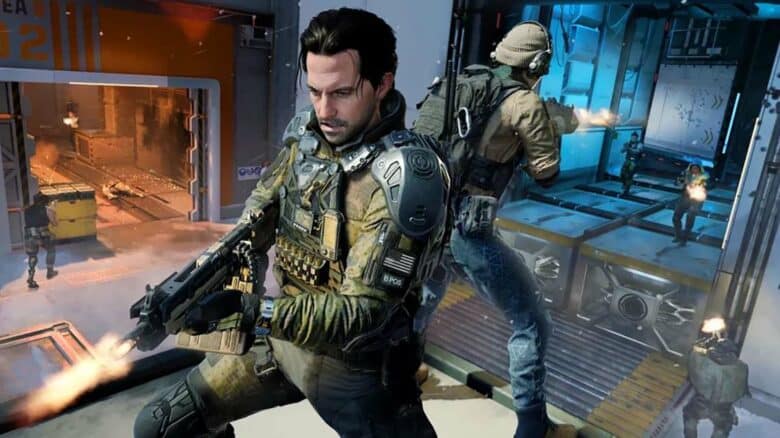
Call of Duty: Black Ops 7 is set to launch worldwide on November 14, with most players gaining access at midnight in their local time zone. The release applies across both console and PC platforms, aligning with the franchise’s tradition of synchronized global rollouts. However, time zone differences mean that some regions experience the launch earlier than others.
Dedicated players have discovered a way to take advantage of this timing difference through what’s known as the “New Zealand trick.” Because New Zealand is among the first regions to reach midnight, adjusting a system’s region to New Zealand can unlock the game early. This approach can grant eager fans access to Black Ops 7 many hours before its official release in their own region.
How to do the New Zealand trick on Xbox
Players can access a game earlier by adjusting their Xbox region settings. Follow these quick steps:
- Open Settings and go to the Account section.
- Locate the Region option and switch it to New Zealand.
- Restart the console to apply the change.
After restarting, the game’s page—such as Black Ops 7—should display an earlier unlock time.
| Step | Action | Result |
|---|---|---|
| 1 | Change console region to New Zealand | Adjusts release timing |
| 2 | Restart console | Updates settings |
| 3 | Launch game | Early access becomes available |
How to Perform the New Zealand Method on PC
PC players can use the New Zealand method to start playing Call of Duty: Black Ops 7 before its local release time, but the process depends on the platform. Steam and Battle.net accounts have built-in regional checks that prevent users from changing their location to gain early access. These platforms verify region settings through account data and network information, making the trick ineffective on them.
Players who use Steam or Battle.net can still join a friend already playing from a New Zealand-based setup. The friend must launch COD HQ and invite them to a session. Once accepted, the invited player can enter the game early. However, if they leave the lobby, the system may remove them from the game, requiring them to repeat the invitation process.
Those using the Xbox app on PC can apply the method more directly. The following steps outline the process clearly:
- Open the Activision account and navigate to Profile Settings.
- Locate the section for Address Information.
- Enter a valid New Zealand address—this can be any legitimate location such as a business or residence.
- Save the changes and close the page.
- On the PC taskbar, right-click the date and time display.
- Select Date and Time Settings, then go to the Region tab.
- Change the country or region to “New Zealand.”
- Restart the PC to apply the new settings.
- Open the Xbox app and confirm that the account is linked to the same Activision account.
- Navigate to the Black Ops 7 store page to check the updated availability time.
| Platform | Can Use New Zealand Method | Notes |
|---|---|---|
| Steam | ❌ | Region locked; requires friend invite workaround |
| Battle.net | ❌ | Region locked; same limitations as Steam |
| Xbox App (PC) | ✅ | Full access after region and account changes |
After completing the steps, players should see an earlier unlock time listed in the Xbox app—often several hours ahead of the local release schedule. The method effectively adjusts the account’s time zone to match New Zealand’s, allowing access as soon as the game launches there.
How to do the New Zealand trick on PlayStation
Players using PlayStation 4 or PlayStation 5 cannot directly activate the New Zealand trick because the console restricts early access even if the system region is changed. The PlayStation network verifies release times based on account data, preventing the game from launching before the official release hour.
However, there is a limited workaround. A player can join a friend who already has access through the trick or is playing from a region where the game is live. This can be done by accepting an invitation or joining their session through Call of Duty HQ.
| Method | Description | Reliability |
|---|---|---|
| Join a friend’s session | Connect through COD HQ or an invite | May require multiple attempts |
| Change console region | Ineffective on PlayStation | Not supported |
Because this approach depends on network behavior, it may not always work consistently.